Real stereo, spread across both your monitors.
Diaulos sends the left channel to your left display’s speakers and the right channel to your right, so your two monitors finally work as one wide stereo pair. A tiny menu-bar app. No drivers, no fuss.
macOS 14.4+ · Apple silicon
No virtual driver. Your apps never know a thing.
Diaulos captures the system mix with a muted Core Audio tap, joins both monitors into one private, drift-corrected device, and copies each channel to its side.
Apps play normally
Music, video, games: everything plays to the system output like always. No per-app setup, nothing to reconfigure.
Diaulos taps the mix
Diaulos captures the stereo mix and routes it to both monitors with minimal latency.
Left goes left, right goes right
The left channel plays through every speaker of your left monitor, the right through your right. One wide stereo pair.
Small app. Careful about your audio.
No virtual driver
Nothing wedged into your audio chain. Apps play like always; Diaulos just steers the mix.
Barely-there latency
About 2.7 ms added at 48 kHz: one hardware buffer, identical on both displays. You won’t hear it.
Volume keys just work
One aggregate device keeps both monitors in perfect lockstep, volume and mute keys included.
Invisible aggregate
The routing device stays private. It never clutters Audio MIDI Setup or shows up in other apps.
Launch at login
Set it once. Routing auto-starts the way you left it, every time you sign in.
Puts things back
Quit and your normal output returns exactly as it was. No cleanup, no surprises.
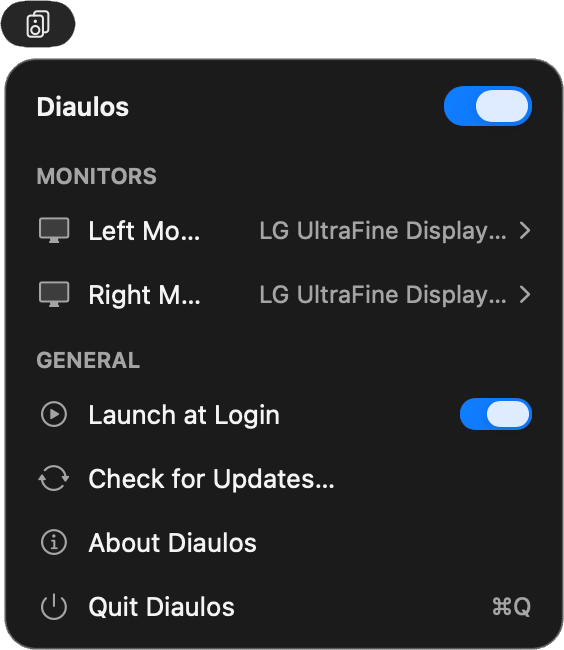
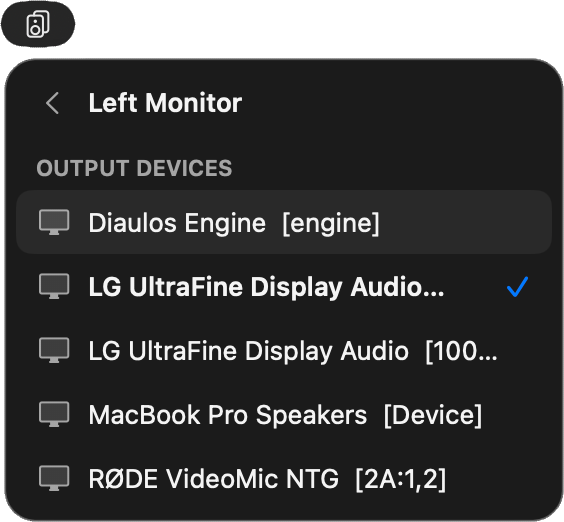
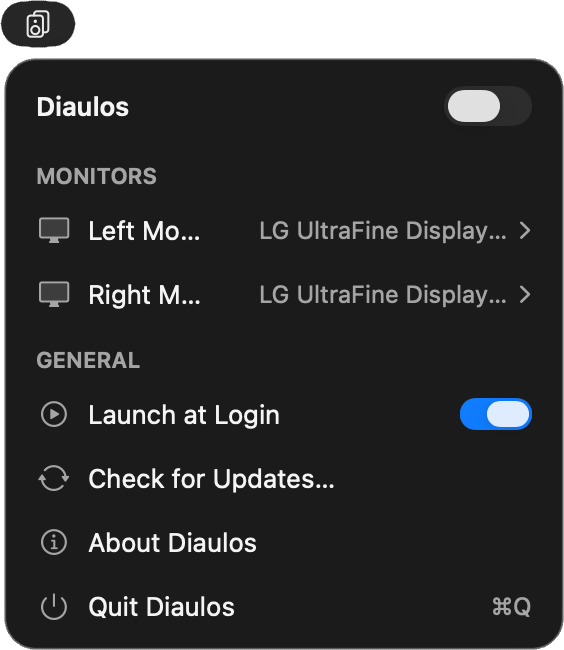
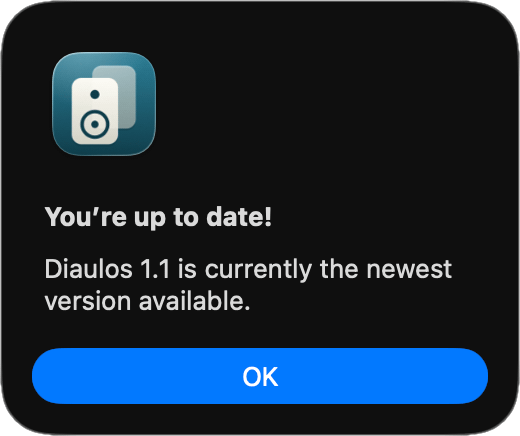
The whole app fits in your menu bar.
Real pixels from the real app. Swipe or scroll sideways through the panel and the little windows around it.
What you’ll need
Built and tested for a pair of LG UltraFine displays, but it drives any two output devices macOS can see. If you’ve been hunting for a way to route audio to two monitors, or to separate the left and right channels to different speakers, this is it.
- macOS 14.4 or later, on Apple silicon. Diaulos uses the process-tap APIs introduced in Sonoma 14.4, and ships as an Apple silicon build.
- Two output devices with speakers. Built for dual LG UltraFine displays, but any two outputs macOS can see will work.
- One-time permission. macOS asks once for System Audio Recording. That's how Diaulos reads the mix. Nothing is recorded.
- Lives in your menu bar. No Dock icon, no windows. Optional Launch at Login.
Good questions
Does it only work with LG UltraFine monitors?
No. Diaulos was built for dual UltraFines, but it routes between any two output devices macOS can see.
Is this a virtual audio driver?
No. Nothing is installed into your audio chain and there's nothing to uninstall. Diaulos uses a system audio tap and a private aggregate device, both built into macOS.
Will I notice the latency?
Almost certainly not. Diaulos adds one hardware buffer, about 2.7 ms at 48 kHz, and it's identical on both monitors, so nothing drifts.
Why does the system-audio indicator appear?
macOS shows the purple indicator whenever any app taps the mix. Diaulos only routes audio. Nothing is recorded, stored, or sent anywhere, and it never touches your microphone.
What happens when I quit?
Diaulos puts everything back: your previous output device is restored and the private device is torn down. If it ever crashes, macOS cleans up the tap automatically.
How many Macs can I use it on?
One purchase is a household license. Install Diaulos on every Mac in your household (yours and the people you live with), not just one.
Is this a subscription?
No. Diaulos is a one-time purchase with a perpetual license. You buy it once and it keeps working: nothing expires, nothing renews.
How will the charge appear on my statement?
Diaulos is sold through Lemon Squeezy, our merchant of record. This payment will appear as LEMSQZY* PENPOINTCONSU on your bank or card statement.
Hear both sides.
Turn two monitors into one honest stereo pair.